
Platform
Email, files, docs, and meetings on One secure platform
A modern business email and collaboration suite — without giving up control over infrastructure, data, or service delivery.

End-user experience
One private workspace where the work actually happens
Email, calendar, chat, video, files, and docs — integrated, fast, and built for how teams collaborate.
One tab, every channel
Mail, calendar, chat, video, files, and docs in a single workspace — no app-switching, no plugins, no extra logins.
Built for real collaboration
Co-edit documents in real time, jump from chat to call, share Files inline from Mail — the workflows your team already wants.
Private by design
Every message, file, and meeting stays inside your deployment — not in a third-party cloud you cannot inspect.
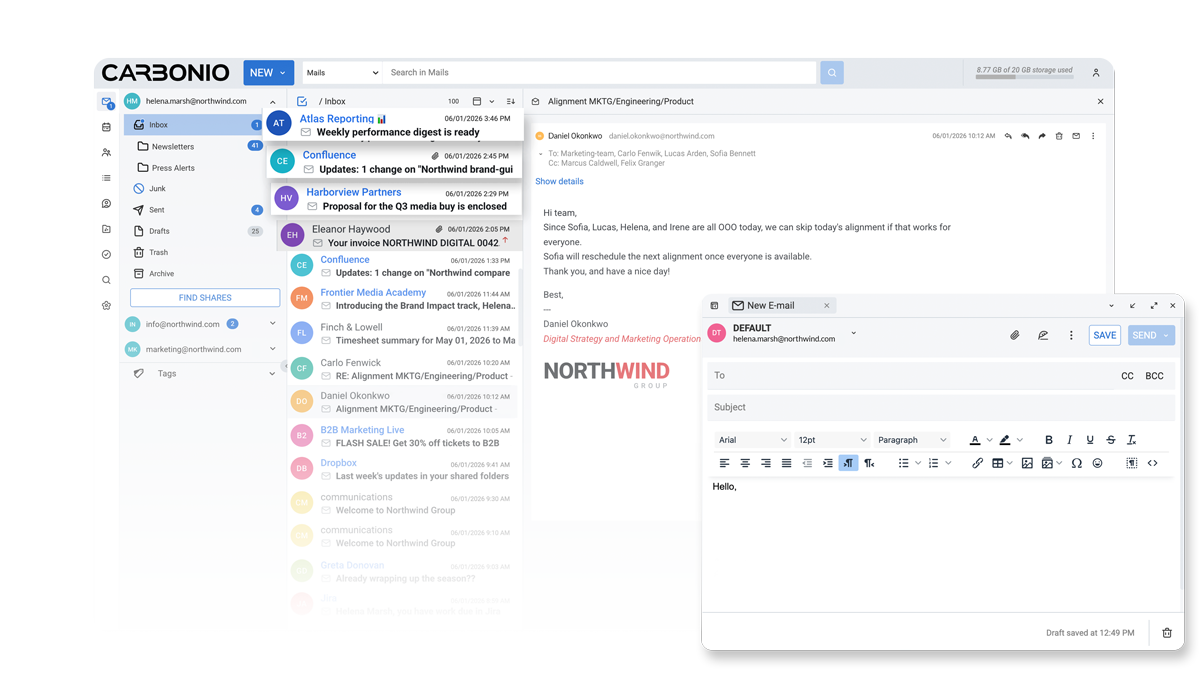
Mail built for a shared experience
A modern business mailbox with shared folders, multiple identities, tags, and a unified preview pane that handles calendar invites, attachments, and shared content inline.
- Profiles, shared accounts, and delegation
- Inline preview of invites, attachments, and Files links
- Tags, advanced filters, and fast search across content
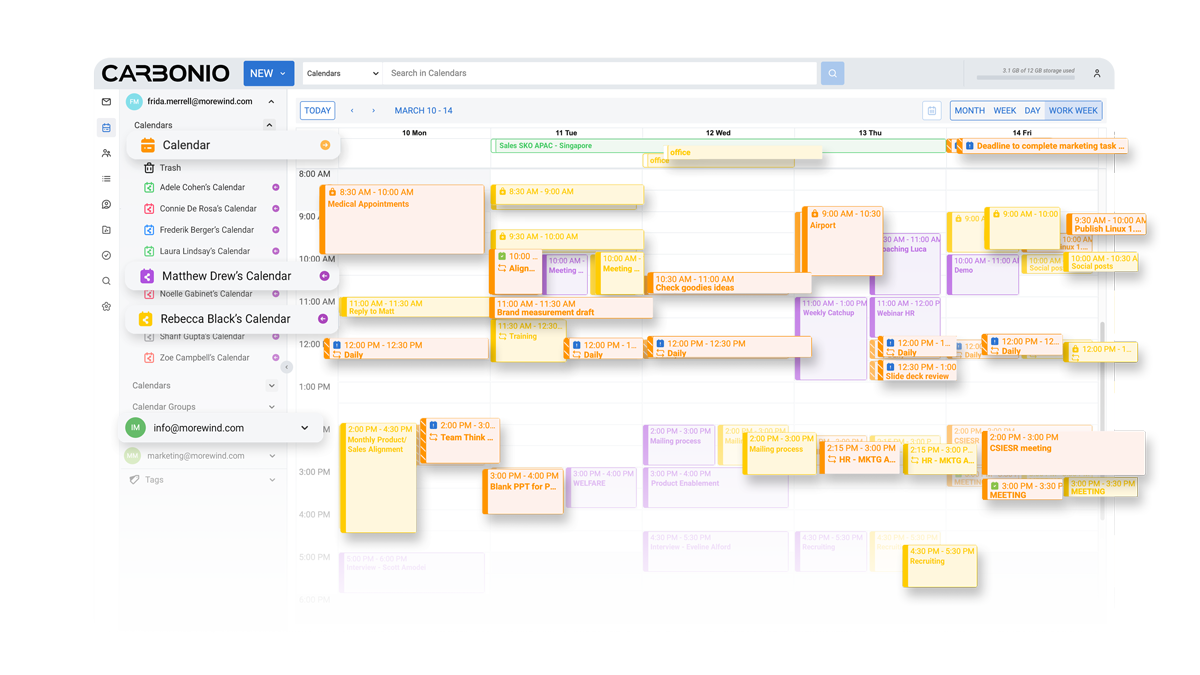
A calendar that fits how teams actually meet
Side-by-side shared calendars, resource and meeting room booking, and a work-week view that surfaces the conflicts before the meeting is sent — all from inside the same workspace.
- Shared calendars and calendar groups
- Resource and meeting room booking
- Day, week, work-week, and month views
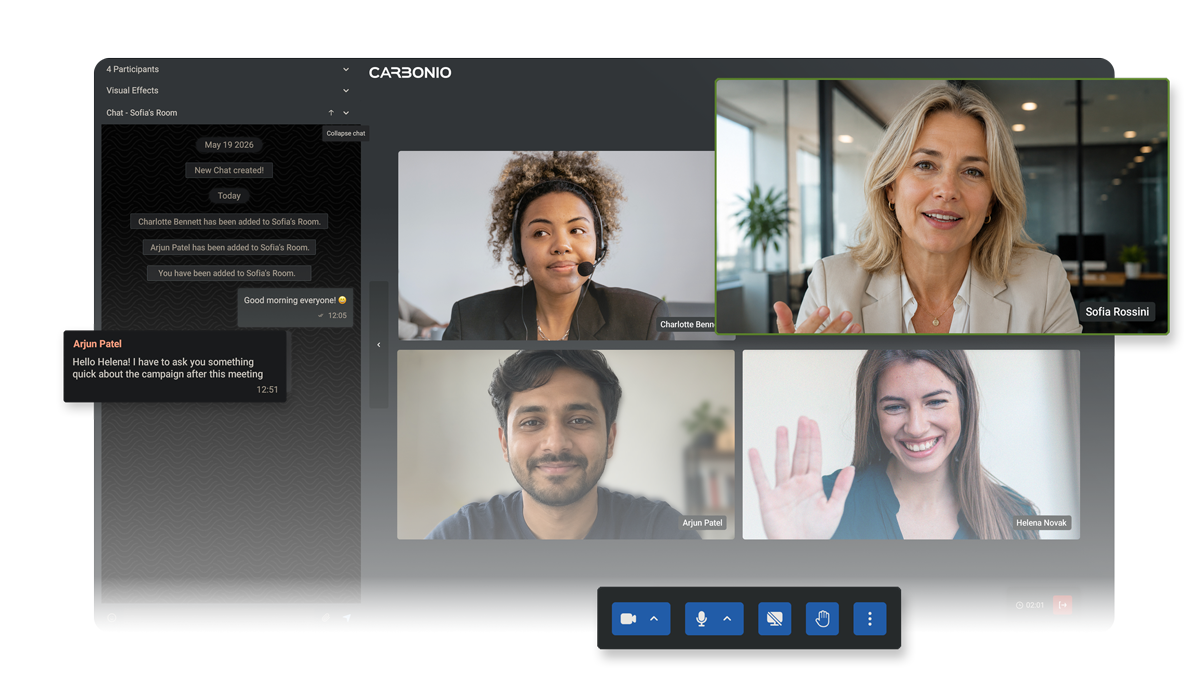
Chat, calls, and video — no extra app
Move from message to call without switching context. Persistent rooms keep the team thread, video meetings handle the live conversation, recordings land back in Files automatically.
- 1-1 and group chat with file sharing
- Video meetings with screen sharing and recording
- Virtual rooms for external participants
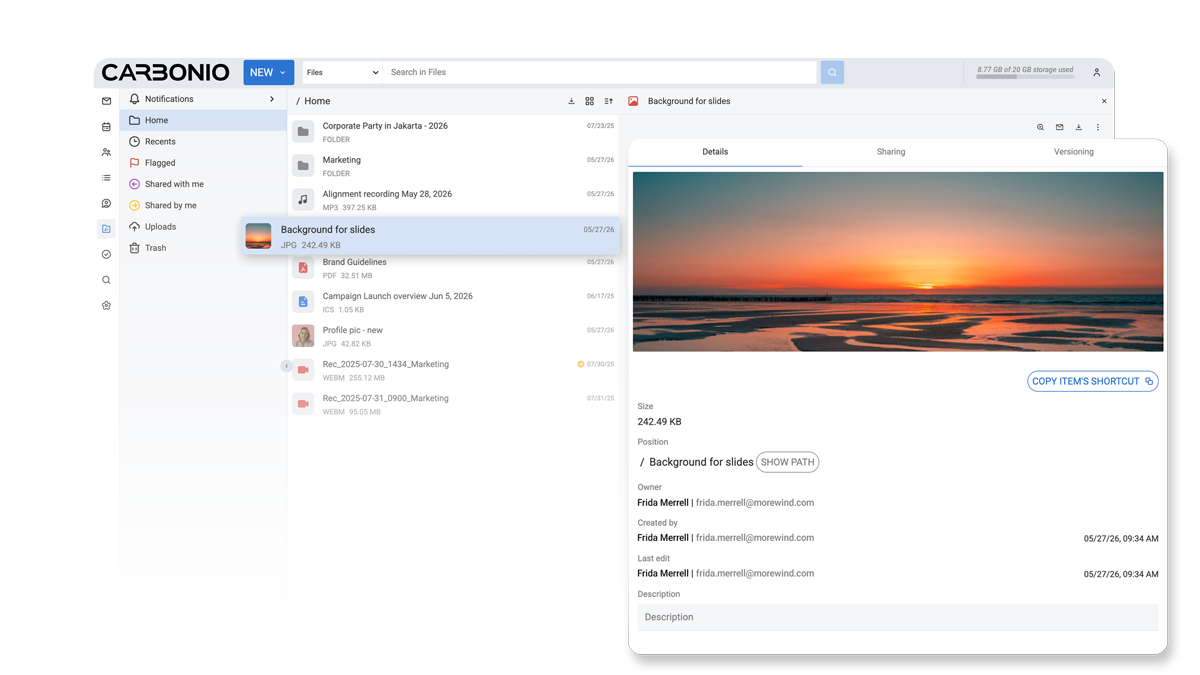
Files and docs, shared without leaving the suite
Create documents, spreadsheets, and presentations in real time, share them inline from Mail or Chat, and keep every version under your private deployment — no third-party drive.
- Real-time co-editing — Office and ODF formats
- Granular sharing, public links, and ACL per item
- Versioning, trash, and shared-with-me views
Admin & IT
Run secure collaboration with the controls IT teams expect
Backup, storage, identity, audit, multi-tenancy, and antispam built into the platform — not bolted on.
Built-in, not bolted-on
Backup, HSM, antispam, antivirus, audit, and multi-tenancy ship as part of the platform — not as add-ons you have to assemble and license separately.
Multi-tenant from day one
Run multiple organizations on one platform with full isolation, per-tenant branding, and delegated administration — no separate provisioning layer.
Standards-based, no lock-in
IMAP, SMTP, CalDAV, CardDAV, SAML, LDAP, and S3-compatible storage. You can change clients, you can move data — the platform doesn't trap you.
Accounts, domains, and Class of Service
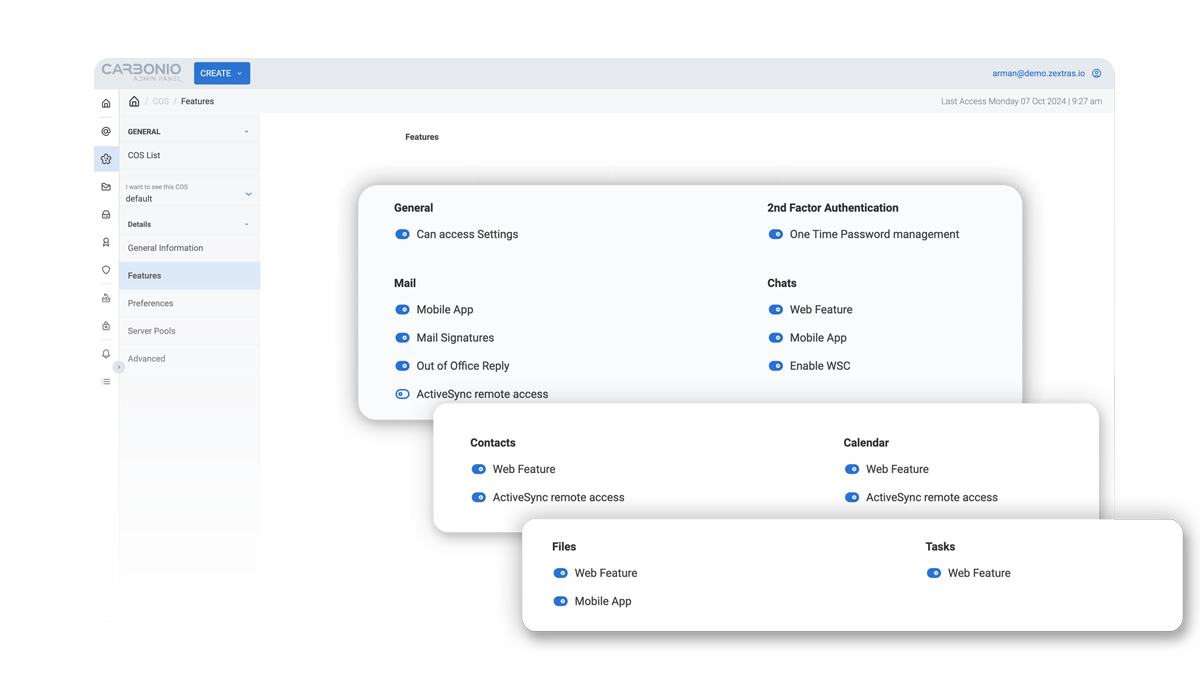
Provision tenants and accounts in a single panel, then shape what each user can do through Class of Service — toggling Mail, Chats, Files, Calendar, mobile, and 2FA features per group.
- Multi-domain provisioning with delegated admins
- Class of Service: per-group feature toggles and quotas
- Distribution lists, security groups, and resources
Backup, restore, and tiered storage
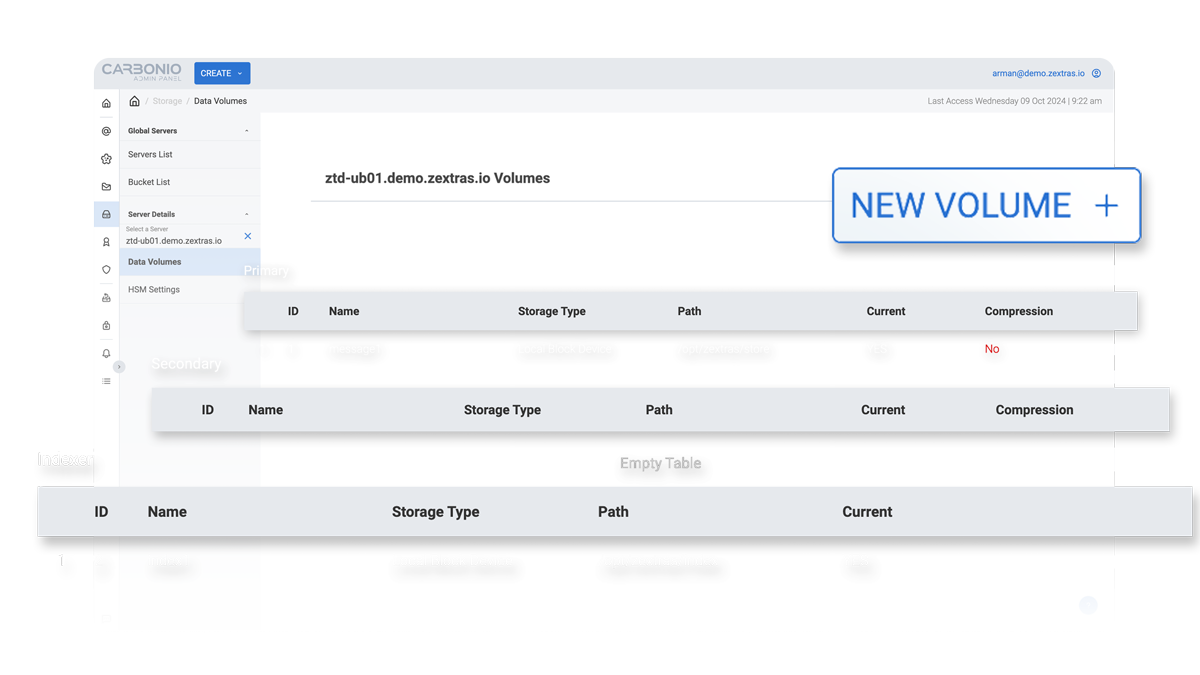
Continuous, real-time backup with item-level recovery, plus HSM that puts the right data on the right storage tier — no nightly windows, no over-provisioned hot storage.
- Item, folder, and account-level restore
- HSM with primary, secondary, and indexer volumes
- S3-compatible: AWS, MinIO, Ceph, Cloudian, Scality, Swift…
- Blob deduplication and volume migration
Mail security at the gateway
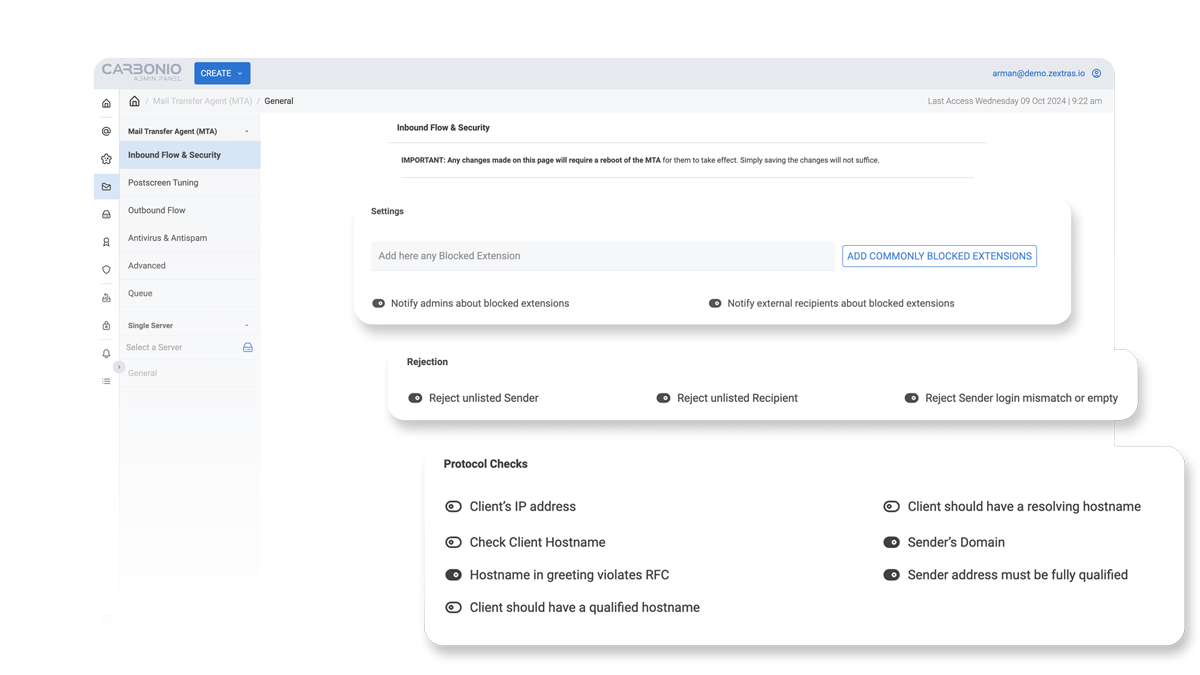
The MTA ships with the antispam, antivirus, and policy controls you would otherwise stitch together — protocol checks, sender policies, and blocked-extension rules tunable per server.
- Inbound flow controls: protocol checks, RFC enforcement
- Postscreen tuning, antispam, and antivirus
- Blocked-extension policies and outbound flow rules
- Quarantine and per-server overrides
Compliance, legal hold, and governance
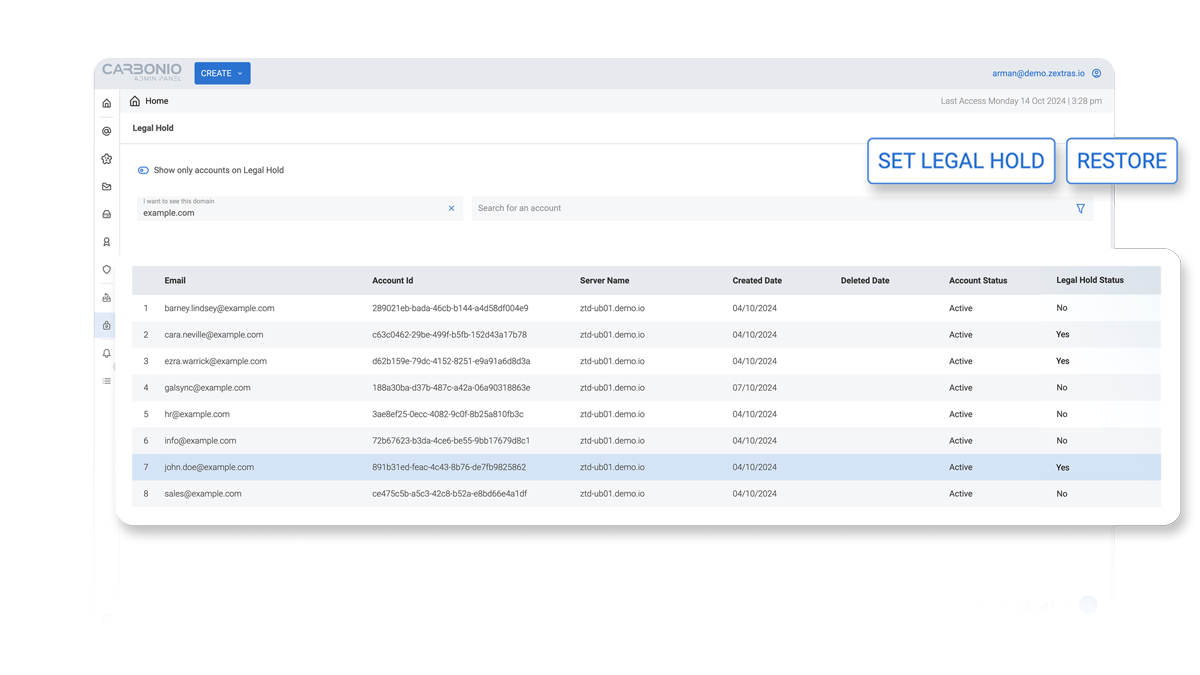
Hold accounts under investigation, enforce retention, and produce the audit trail regulated industries expect — without bolting on a third-party archiver.
- Per-account legal hold with status and history
- Retention policies and audit logs
- White-label per tenant and delegated administration
- GDPR-aligned
Built for MSPs and IT teams
Product depth where it matters most
Carbonio is built for organizations seeking alternatives to hyperscaler suites, legacy email platforms, or fragmented tools, combining productivity, deployment flexibility, and administrative control.
Migration-ready
Support migration projects from Microsoft 365, Google Workspace, Microsoft Exchange, Zimbra, and legacy collaboration environments.
Enterprise-ready
Address the requirements of regulated organizations with stronger control over access, storage, auditability, and operations.
Service-ready
Give providers a platform they can deploy, support, and package as a differentiated managed service.
Protocols & integration
Standards-based, not stack-locked
Carbonio speaks the protocols your clients and infrastructure already use — no proprietary bridges required.
Mail clients connect over standard protocols, encrypted by default.
- SMTP / SMTPS
- IMAP / IMAPS
- POP3 / POP3S
Collaboration
Calendar, contacts, and mobile sync work with any compliant client.
- ActiveSync
- CalDAV (calendars)
- CardDAV (contacts)
- LDAP for external address books
Internal services
How Carbonio components communicate under the hood.
- Carbonio Mesh — secure RPC over HTTP/HTTPS
- Message broker for event streaming
- Service discovery
Editions
Choose which Carbonio edition is right for your needs
From enterprise email to a full digital workplace — pick the scope, keep the same private deployment model.
Enterprise email & calendar
Email Edition*
Ideal for organizations relying on email and calendaring to collaborate.
- Commercial antivirus and secure authentication (2FA, SAML)
- Real-time backup, HSM, and object storage
- Scalable architecture and multi-tenant environment
- White labeling for service providers
- Attachment indexing and multi-identity mailbox access
- Technical training for system administrators
Recommended · Full digital workplace
Workspace Edition*
Ideal for organizations relying on email, calendars, messaging, video meetings, and document editing to collaborate.
- Everything in Email Edition
- Built-in chat (Carbonio Chats)
- Real-time collaborative document editing
- Video meetings with recording and external participants
- Multiple moderators per meeting
Optional add-ons available for both editions: ActiveSync for mobile and client synchronization, and User Mail Replica for enhanced mail availability and resilience.
*Email and Workspace users can be combined in the same deployment.
FAQ
Common questions about Carbonio
What's the difference between Email Edition and Workspace Edition?
The difference is scope. Email Edition is enterprise-grade business email and calendaring with the security and admin controls organizations need. Workspace Edition includes everything in Email Edition plus chat, video meetings with recording, real-time collaborative document editing, and external-participant support — a complete digital workplace under your private deployment.
Where can I deploy Carbonio?
Carbonio can be deployed three ways: on-premises, in your private cloud, or as sovereign SaaS through a certified partner. Every option uses the same components and architecture, so you choose the operating model that fits your legal, security, and operational requirements.
Is Carbonio open source?
Carbonio is open-core, not fully open-source. The core is built on open standards and common protocols (SMTP, IMAP, CalDAV, CardDAV), so your data stays portable and the stack stays auditable. The commercial Email and Workspace editions add enterprise capabilities such as commercial antivirus, HSM, multi-tenancy, and white labeling.
How does Carbonio handle backup and storage?
Carbonio includes real-time backup with item, folder, and account-level restore — no third-party tooling required. Storage uses Hierarchical Storage Management (HSM) across primary and secondary volumes, supporting AWS S3, MinIO, Ceph, Cloudian, Scality, and other S3-compatible backends.
What about regulatory compliance and data sovereignty?
Yes — Carbonio is designed for regulated and sovereignty-sensitive environments. It supports GDPR-aligned operations, with audit logs, legal hold, and retention policies in the admin layer. Your deployment choice keeps data in the jurisdictions you require.
Is Carbonio based on Zimbra? How is it different?
Carbonio is a separate, modern platform built by Zextras — not a Zimbra fork. It's designed as a migration path for organizations moving off Zimbra, with built-in backup, HSM storage, and a full digital-workplace layer (chat, video, real-time docs). Migration tooling and certified-partner support make the move from Zimbra straightforward.
Can I migrate to Carbonio from Microsoft 365, Google Workspace, Exchange, or Zimbra?
Yes. Carbonio supports migration projects from Microsoft 365, Google Workspace, Microsoft Exchange, Zimbra, and other legacy collaboration environments. Migrations are scoped and delivered through certified partners, who handle mailbox, calendar, and contact data so you keep continuity while moving to a private deployment.
How much does Carbonio cost and how do I buy it?
Carbonio is sold and delivered through certified partners rather than as a self-service online purchase. Pricing depends on edition (Email or Workspace), user count, and add-ons. To get a quote, find a provider in your region — partners handle licensing, deployment, and ongoing support locally.
Is Carbonio email encrypted and secure?
Carbonio encrypts mail traffic in transit by default over SMTPS, IMAPS, and POP3S, and adds 2FA, SAML SSO, and LDAP/AD identity controls. Because every message, file, and meeting stays inside your own deployment, your data never sits in a third-party cloud you can't inspect.
How many users does Carbonio support?
Carbonio scales from a single-server deployment to a multi-node, multi-tenant environment with load distribution across nodes, so it suits both mid-sized organizations and large service providers running many tenants on one platform.
Does Carbonio work on mobile?
Yes. Carbonio has native iOS and Android apps with offline access, plus Exchange ActiveSync support so mail, calendar, and contacts sync with standard mobile clients. Mobile device security can be added on either edition.
Who provides support for Carbonio?
Support is delivered by certified partners who implement, support, and grow Carbonio locally — in your language and time zone. Partners handle deployment, migration, and day-to-day operations, while Zextras backs the platform and provides administrator training as part of the Email and Workspace editions.
How does Carbonio compare to the others?
See how Carbonio stands out against the likes of Microsoft 365, Google Workspace, Microsoft Exchange, Zimbra — feature, deployment, and operating model side by side.